A softer
place to be
queer.
Tonight’s moon: , ,
Luney is a social app for LGBTQIA+ adults. Join groups, find events, talk in live audio rooms, post reels and message your friends. It isn’t a dating app.
Free on iPhone and Android · 18+
A look
inside
Six screens from the app: a group, its chat, a DM, the home feed, comments on a post and your notifications. The people in them are demo accounts, not real members.
iPhone · dark theme · taken August 2026
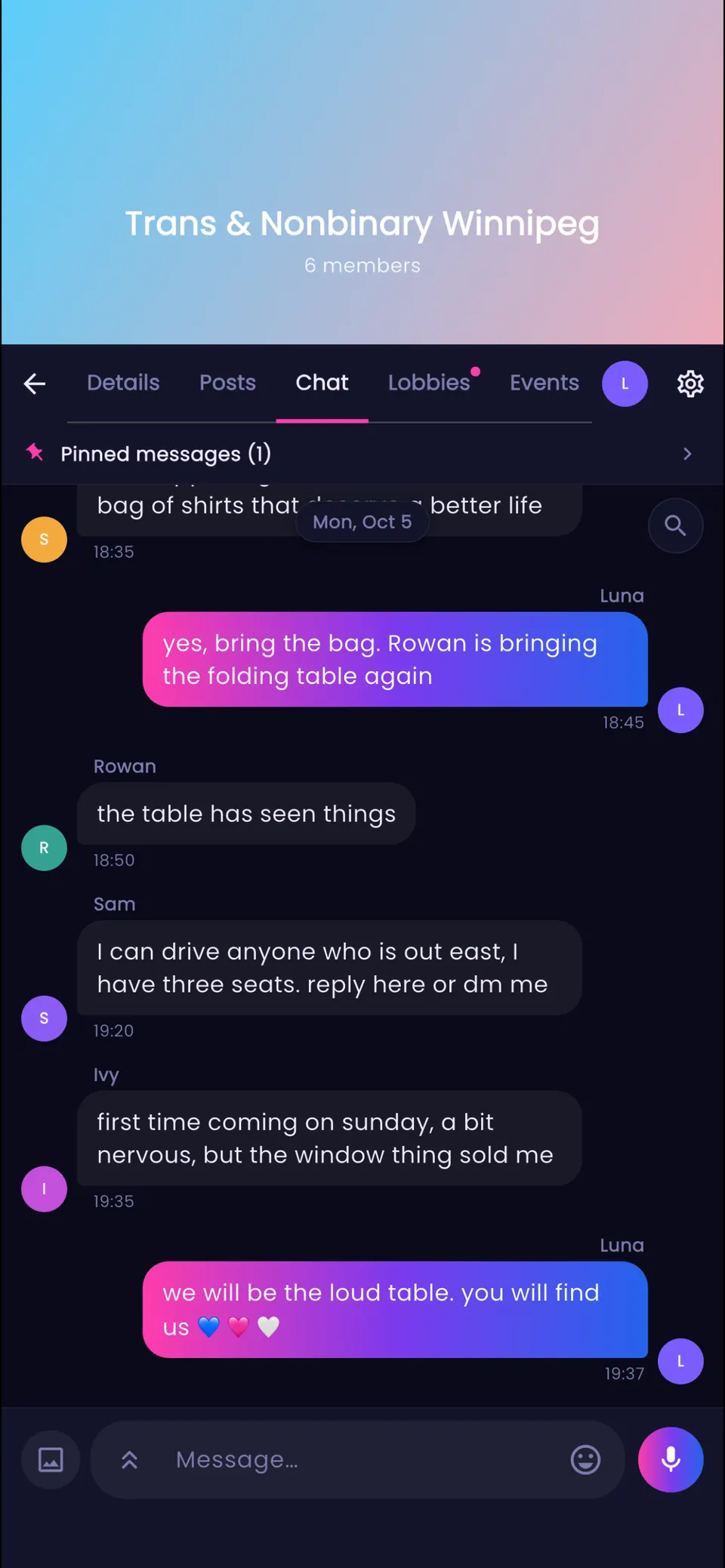
Group chatiPhone · dark theme 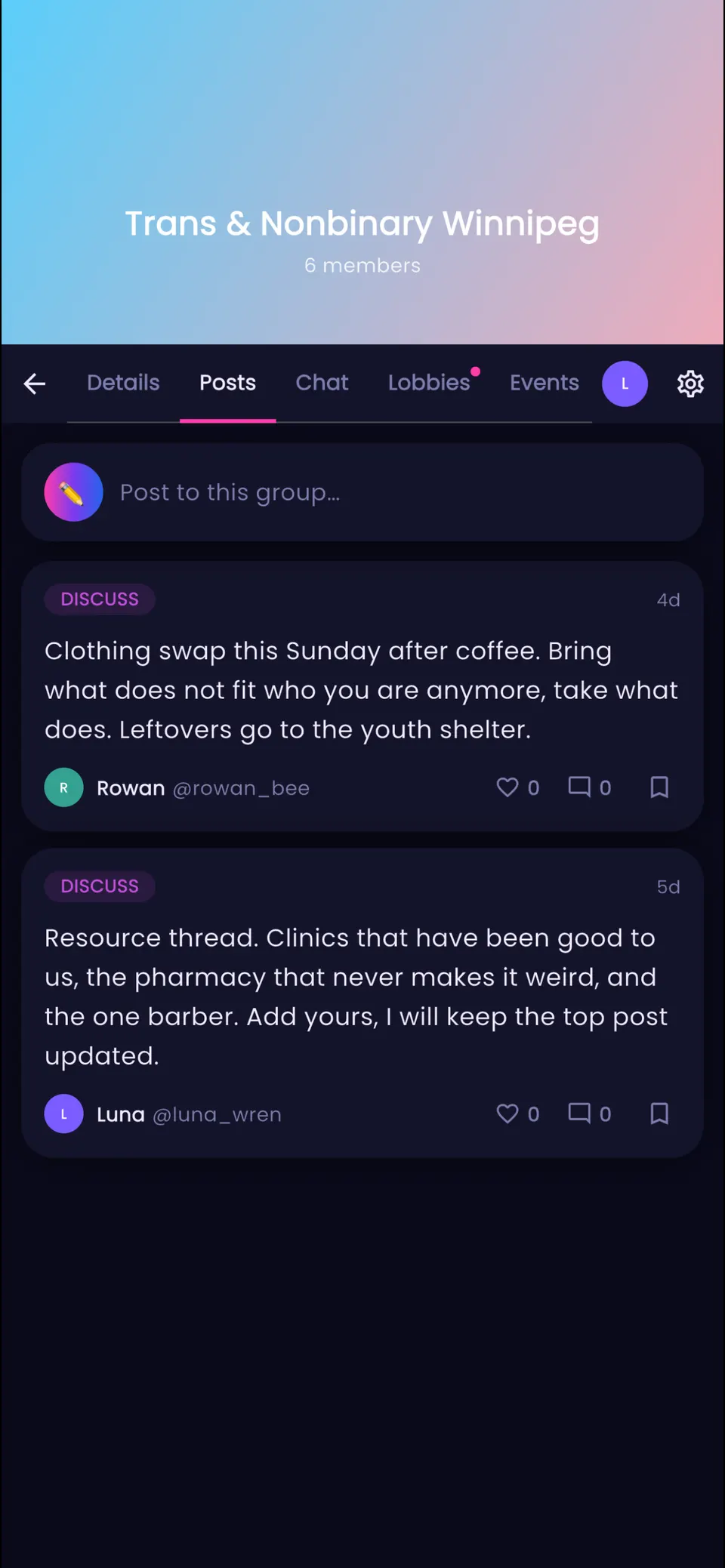
A groupiPhone · dark theme 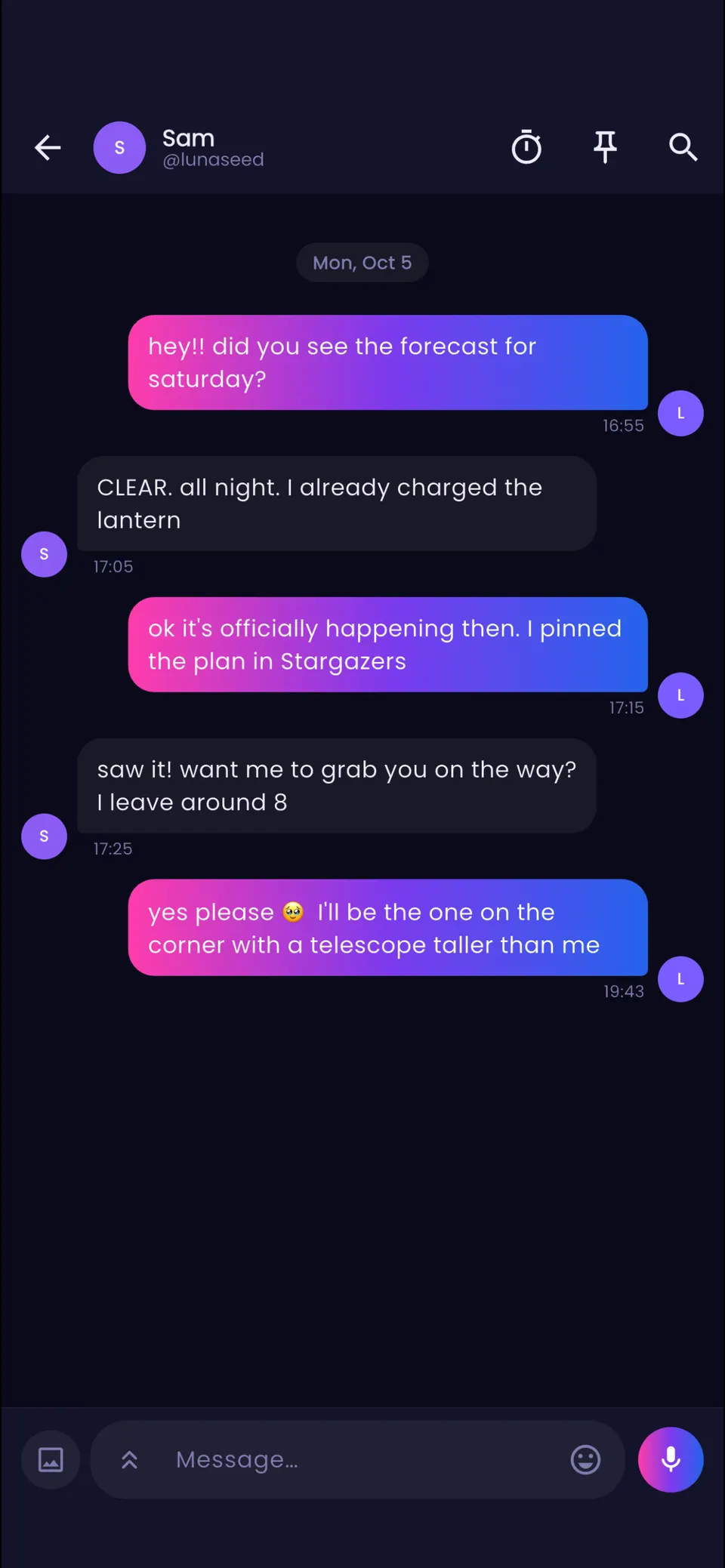
DMsiPhone · dark theme 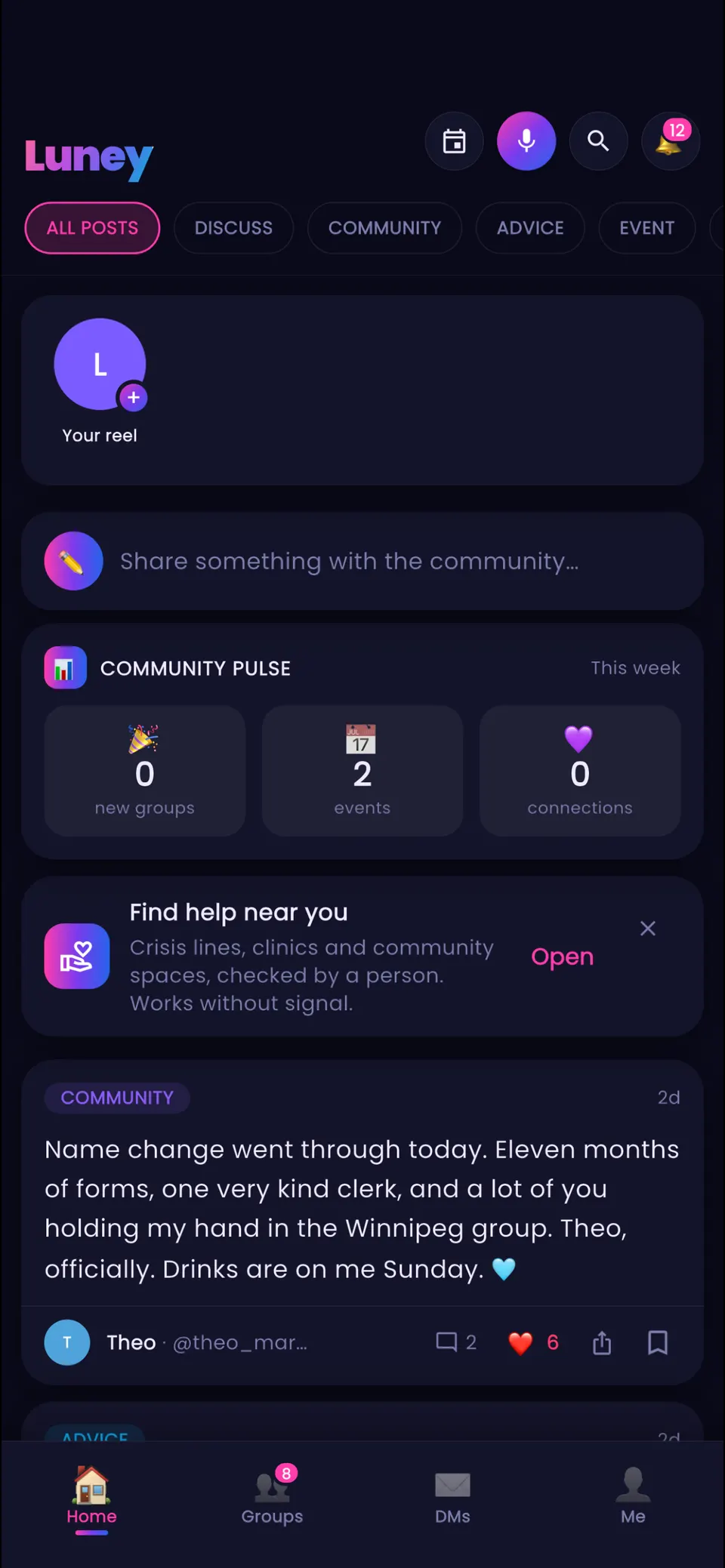
Home feediPhone · dark theme 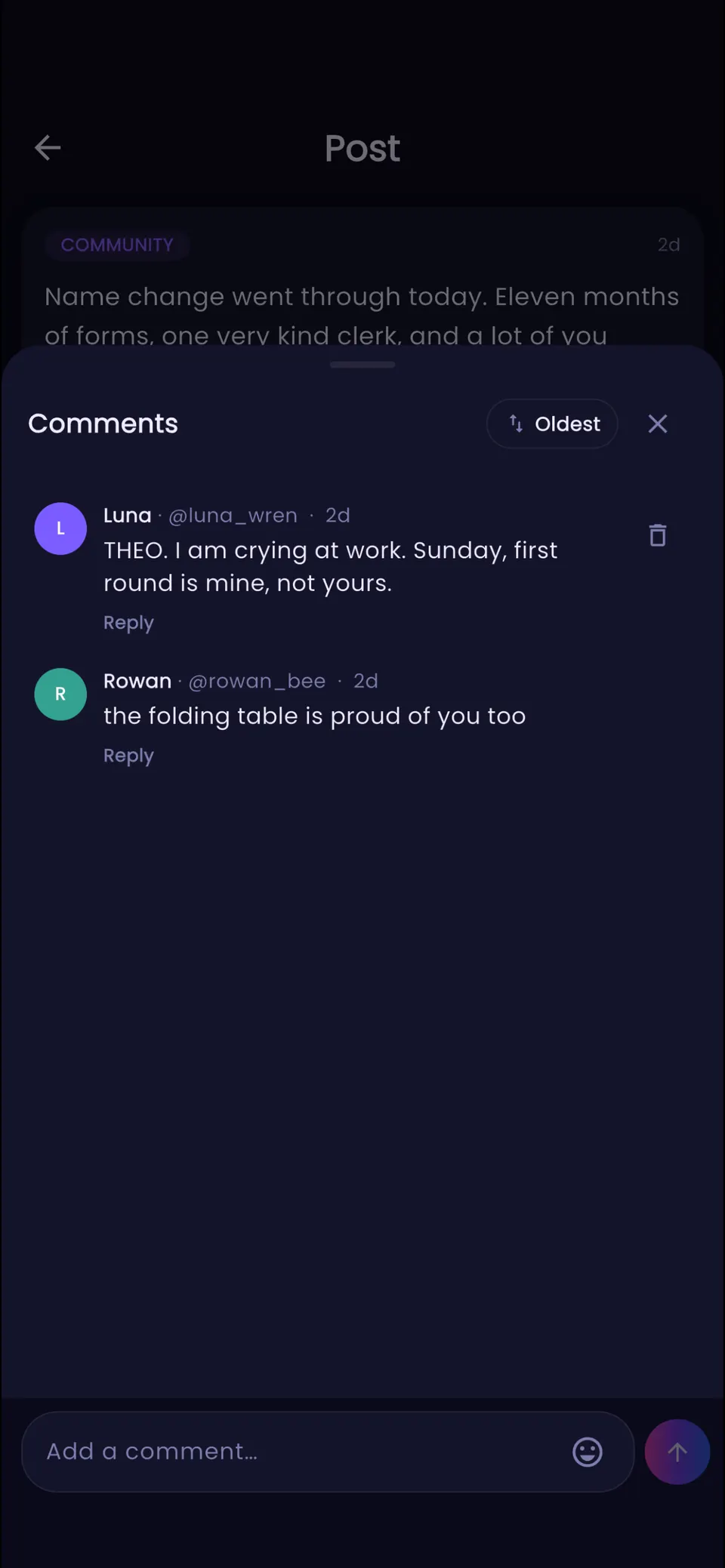
CommentsiPhone · dark theme 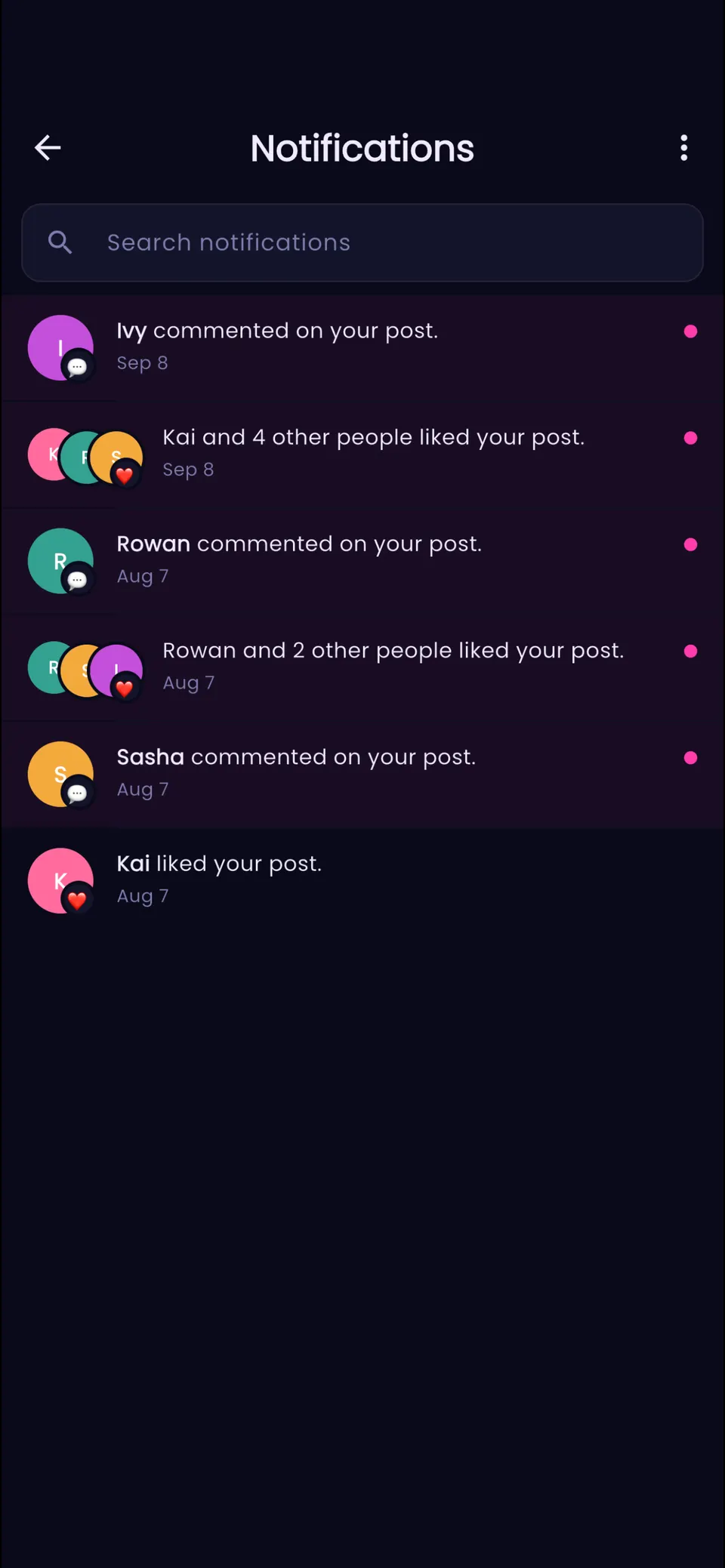
NotificationsiPhone · dark theme
Safety tools, and where to find them
Next to each tool is where to find it in Settings. Screenshot protection is always on, so there’s nothing to set up.
Settings, Safety
That means: open Settings (the gear on your profile), then tap Safety.
Every safety tool is free. None of them need VIP.
Panic Mode
Settings, Safety, Panic Mode
If someone walks up or looks over your shoulder, Panic Mode lets you hide Luney in a moment. It stays hidden until you bring it back, and if you don’t come back within five minutes, your Trusted Circle gets an alert that you may need help.
App Lock
Settings, Security, App Lock
Luney asks for a PIN of 4 to 8 digits when you open it, and again if it’s been in the background longer than the time you pick. It’s separate from your phone’s passcode.
Trusted Circle
Settings, Safety, Trusted Circle
Choose up to five Luney friends. Once they accept, they get an alert if you miss a Date Check-in, or if you use Panic Mode and don’t come back within five minutes.
Date Check-in
Settings, Safety, Date Check-in
Before you meet someone new, set a deadline between 15 minutes and 12 hours away. If you haven’t tapped “I’m safe” by then, your Trusted Circle gets an alert with who you’re meeting and where, if you filled those in.
Hidden words
Settings, Privacy, Hidden words
Make a list of words and phrases. When someone uses one in a comment on your posts or photos, other members don’t see that comment. You and the writer still see it, and the writer isn’t told it’s hidden. It doesn’t cover posts you make inside a group.
New in 1.5.0
Limit new accounts
Settings, Privacy, Limit new accounts
When it’s on, accounts less than a week old can’t comment on your posts and photos or send you a DM. Your friends always can. It doesn’t cover groups.
New in 1.5.0
Take a break
Settings, Notifications, Take a break
Pause notifications for anything from an hour to a week. You show as offline unless you turn that off, and you can leave an away note for people who open a chat with you. Safety alerts still come through.
New in 1.5.0
Screenshot and recording protection
Always on
On iPhone and Android, a screenshot or screen recording of Luney comes out black. On iPhone, if someone screenshots your photo post, your profile or one of your reels, you get a notification. In a DM or group chat, a screenshot shows as a note in the chat, unless it’s a group that has turned those notes off.
Find help
If you’re in danger right now, call your local emergency number. Our directory lists LGBTQIA+ crisis lines, clinics, housing and legal help, country by country. Someone on our team has checked every listing before it goes up.
The same directory in the app: Settings, Safety, Find help near you
What we
left out
What Luney doesn’t do, and what it does instead.
No swiping on people.
There’s no stack of profiles to swipe through. People meet in groups, at events and in live audio rooms, and add each other as friends from there.
No ads or ad trackers.
Luney doesn’t show ads, doesn’t use ad networks and never asks for your phone’s advertising ID. It’s free to use, and VIP is an optional subscription.
Never asks where you are.
Before a photo uploads, the app strips out the data that says where it was taken.
No transcription service.
When you record a voice note, your phone writes the transcript itself if it can. Your voice isn’t sent anywhere to be turned into text.
New in 1.5.0
No locking your data in.
Download a copy of your data once every 30 days. If you delete your account, you have 30 days to change your mind by signing back in.
Settings, Privacy, Download My Data
New in 1.8.0
· iPhone, iPad and Android
Voice training
Practice a higher, lower or in-between voice with your pitch, the note you're on and your resonance shown live as you talk. It all stays on your phone unless you choose to save it to the cloud.
Time capsules
Write a note to your future self, add a photo if you like, and pick the day it opens. Until then nobody can read it, you included, and on the day Luney tells you it's open.
Message requests
When someone you're not friends with messages you for the first time, it waits in Message requests. You get one notification instead of one per message, and they can't see that you've read it.
Send later
In a DM or a group chat, type a message and press and hold the send button to pick when it goes. It sends at that time even if your phone is off.
Also in this release
- Repeating events
- Holiday cards
- More in Luney Rewind
- Profile photos full size
- Friend of a friend on posts
- More notifications you can turn off
Why we built this
Most social apps are made for people who are already out and safe. Luney is made by queer people for the rest of us too: the person still in the closet, or the one whose phone was just taken.
From our App Store and Google Play listings.
Read why we started LuneyBefore you install
The questions people ask us most before they download.
Is Luney only for adults?
Yes, 18 and over. The app asks for your date of birth when you sign up. Your birthday only shows on your profile, without the year, if you turn on Show Birthday.
Is it a dating app?
No. Luney is for friends and community. People meet in groups, group chats and at events, and add each other as friends.
What does it cost?
Luney is free on iPhone and Android, and so is every safety tool. Paying is optional: VIP is a monthly or yearly subscription for extras like animated avatars and styled names.
What happens to my data?
We keep the IP address each sign-in, upload and message came from, so we can act on abuse reports and answer legal requests. We don’t collect your phone’s advertising ID or its location, and the app strips the location out of a photo before it uploads. The privacy policy says what we keep and, where there’s a limit, how long we keep it.
You can download a copy of your data once every 30 days. If you delete your account, you have 30 days to change your mind by signing back in. After that it’s deleted for good, except for the messages you sent, which stay in other people’s chats, and reports and moderation records involving your account, which are kept for at least 90 days.
Settings, Privacy, Download My Data
How does moderation work?
A report from inside a group goes to that group’s admins first, and to the Luney team if they haven’t acted within 48 hours. A serious one reaches the team straight away. Reports about anything outside a group come straight to us. A person decides what happens to each one, and we publish the totals in the Open book.
Will it work on my phone?
Luney runs on iPhones with iOS 16 or later, and on Android phones with Android 7.0 or later.
Get Luney
It’s free on iPhone and Android. You need to be 18 or older to sign up.
Version 1.8.0 · released
Talk with us on Discord